QR Code Types
Link QR Codes
The default type, and the one most QR codes in the world are: scanning it opens a web page. Anything you can put in a browser's address bar works here.
How to create one
- Open the URL QR code generator — it opens on the URL type with the fields ready to fill in.
- Paste or type the full URL, including
https://.
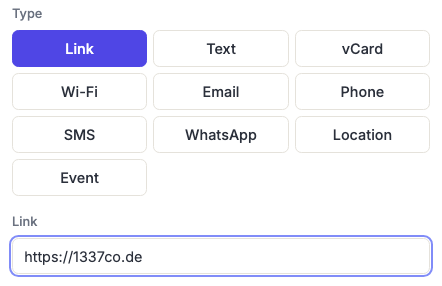
Include the scheme. A URL starting https:// is unambiguous to every scanner. Without it, some scanners guess correctly, some show the text and do nothing, and you won't find out which until it's printed.
Shorter URLs make better codes
The length of the URL directly determines how dense the code is, and density is the main reason printed codes fail. A short link produces a coarse grid with large, forgiving modules; a long one with tracking parameters produces a fine grid that needs to be printed bigger to work at all.
The difference is not subtle. A short redirect might need a 25×25 grid, while the same destination with campaign parameters attached needs 53×53 — at the same printed width, that more than halves the size of every module. See what that looks like.
So: strip anything you don't need from the URL, and if you need campaign tracking, put it on a dynamic code's destination rather than in the printed code. The parameters still reach your analytics; the code stays coarse.
Static or dynamic?
A plain Link code is static — the URL is inside the printed pattern forever, and it works with no dependency on us or anyone else. If the page moves, the code is dead.
A dynamic code (every signed-in plan) encodes a short redirect you can repoint at any time, and counts scans. Choose it when the code is going somewhere you can't easily reprint, when the destination might change, or when you need to know whether anyone is scanning it.
When to use it
Posters, packaging, business cards, menus, signage, TV and print ads, product manuals, "leave us a review" cards — anywhere you want someone on a specific page without them typing anything.
The most common mistake is pointing it at a homepage. If a poster is about one thing, send people to the page about that thing; making them navigate is most of the drop-off.
Frequently asked questions
Do I need https, or will http work?
Both encode fine, but use https://. Browsers increasingly warn on plain HTTP, and a security warning is a poor first impression for something someone scanned off a poster.
Can I point a QR code at something other than a web page?
Yes — an app store listing, a PDF, a Google Maps link, a YouTube video, a payment link all work, since they're all URLs. For phone numbers, emails, Wi-Fi and contacts there are dedicated types on this site that behave better than a link would.
Should I use a URL shortener before generating the code?
It does make the code coarser, which helps. But you're then dependent on that shortener existing forever, and some link shorteners are flagged by security software, which can make your code look suspicious. A dynamic code here does the same job with the redirect under your own control.
Why does my code look different every time I change the URL?
Because the pattern is the data. Any change to the URL — even one character — produces a completely different arrangement of modules. There's no way to make a small edit and keep a similar-looking code.
Is there a limit on URL length?
The technical ceiling is 1,273 bytes, and the generator blocks anything longer. But you'll hit a practical limit long before that: past a couple of hundred characters the code becomes too dense to scan reliably at any sensible printed size.