API Access
API Getting Started
Create, list, and delete QR code records in bulk, and export your library as CSV — available to Advanced and Business accounts. See the full route reference for every endpoint.
What the API does, and doesn't
The API manages records: it creates, lists, updates and deletes the QR code entries in your library, and exports them as CSV. It's the right tool for bulk work and for keeping another system in sync.
It doesn't render images. There's no endpoint that returns a PNG or SVG, so if you need artwork you'll generate it yourself from the data the API gives you — for a dynamic code, that's the short URL in the response. Styling is stored and returned alongside each record, but rendering happens in the browser.
Personal vs. business keys
There are two kinds of key, both generated by a logged-in account, never by the API itself:
- Personal key — any Pro or Business account can generate one from My Profile, scoped to that account's own saved QR code library.
- Business key — a business team's Writer or Admin members can each generate their own individually-attributed key from Business QR Library, scoped to the shared team library. An Admin can revoke any teammate's business key.
Each account gets at most one key per scope at a time — generate a new one after revoking the old one, not alongside it.
The key you send decides which library you are working in. There's no account switch and no separate business URL — the same routes act on your personal library with a personal key and on the shared library with a business key. Anything a business key creates in the shared library lands as a draft, exactly as a teammate's manual entry would.
Making a request
Send the key in an x-api-key header against the API's own base URL (not the same host as the rest of the site):
curl -X POST https://env6gvgrne.execute-api.us-east-2.amazonaws.com/v1/qrcodes \
  -H "x-api-key: YOUR_KEY" \
  -H "Content-Type: application/json" \
  -d '{"url": "https://example.com", "name": "My first API code"}'
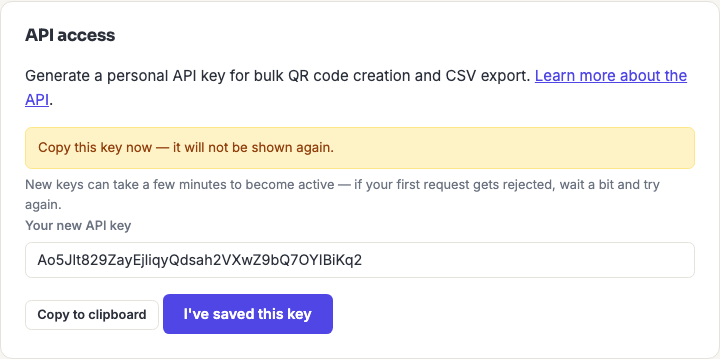
New keys can take a few minutes to become active after generation. If a request is rejected right after you create a key, wait a bit and try again before assuming something's wrong — this is propagation, not a bad key.
Rate limits
| Key type | Per day | Per second | Burst |
|---|---|---|---|
| Personal | 2,000 | 5 | 10 |
| Business | 10,000 | 10 | 20 |
The two limits do different jobs. The per-second rate governs how fast you can go; the daily quota governs how much you can do at all. Batching is what reconciles them.
Bulk-creation routes accept up to 50 records per call, so importing 4,000 codes is 80 requests rather than 4,000 — trivial against any of these numbers. Sending them one at a time would consume twice your entire daily quota.
Two habits worth building in from the start: pace requests rather than firing them in parallel, and handle a 429 by waiting and retrying rather than looping immediately.
Handling errors
Errors come back as JSON. A single problem is {"error": "..."}; a batch validation failure is {"errors": [{"index": 0, "error": "..."}]}, with the index identifying which record was rejected.
Batches are all-or-nothing. If any record in a batch fails validation, nothing in that batch is created. This makes retrying safe — fix the offending record and resend the whole batch, with no risk of creating duplicates of the ones that were fine.
Revoking a key
Delete a key from the same page you generated it on. Revocation takes effect immediately — a revoked key stops working right away, not at the end of some grace period.
Treat a key as a password: it authenticates entirely on its own. Two-factor authentication on your account doesn't apply to API requests, so anyone holding the key has the access it grants. Keep it out of source control and out of client-side code, and revoke it the moment you suspect it's been exposed.
Frequently asked questions
Which tiers can use the API?
Advanced and Business. Basic accounts can't generate a key — the API access panel doesn't appear on their profile.
Can I generate images through the API?
No — the API works with records, not artwork. There's no endpoint that returns a PNG or SVG. For a dynamic code, the response includes the short URL, which is what you'd encode when generating the image yourself.
Why was my request rejected right after I created the key?
New keys take a few minutes to propagate. Wait and retry before investigating anything else — this is the single most common false alarm with a brand-new key.
How do I import a spreadsheet of codes?
Parse it yourself and send the rows through a batch endpoint in chunks of 50. There's no file-upload import in the browser yet; that's tracked as a separate feature.
Can I see who on my team created something via the API?
Yes — business keys are individually attributed, so each teammate generates their own and anything created with it is recorded against them. That's why keys are per-person rather than one shared team key.
What happens if I lose a key?
Revoke it and generate a new one. Keys can't be retrieved after creation — only replaced — so if you didn't copy it when it was shown, that's the path.